
How do I change the colours on my donation forms?
You now have more control over the colours on each donation form.
- Click Donations in the left navigation.
- Click Appeals.
- Click the name of the appeal you want to change. Use the new
colour pickers on the first page of the appeal setup.
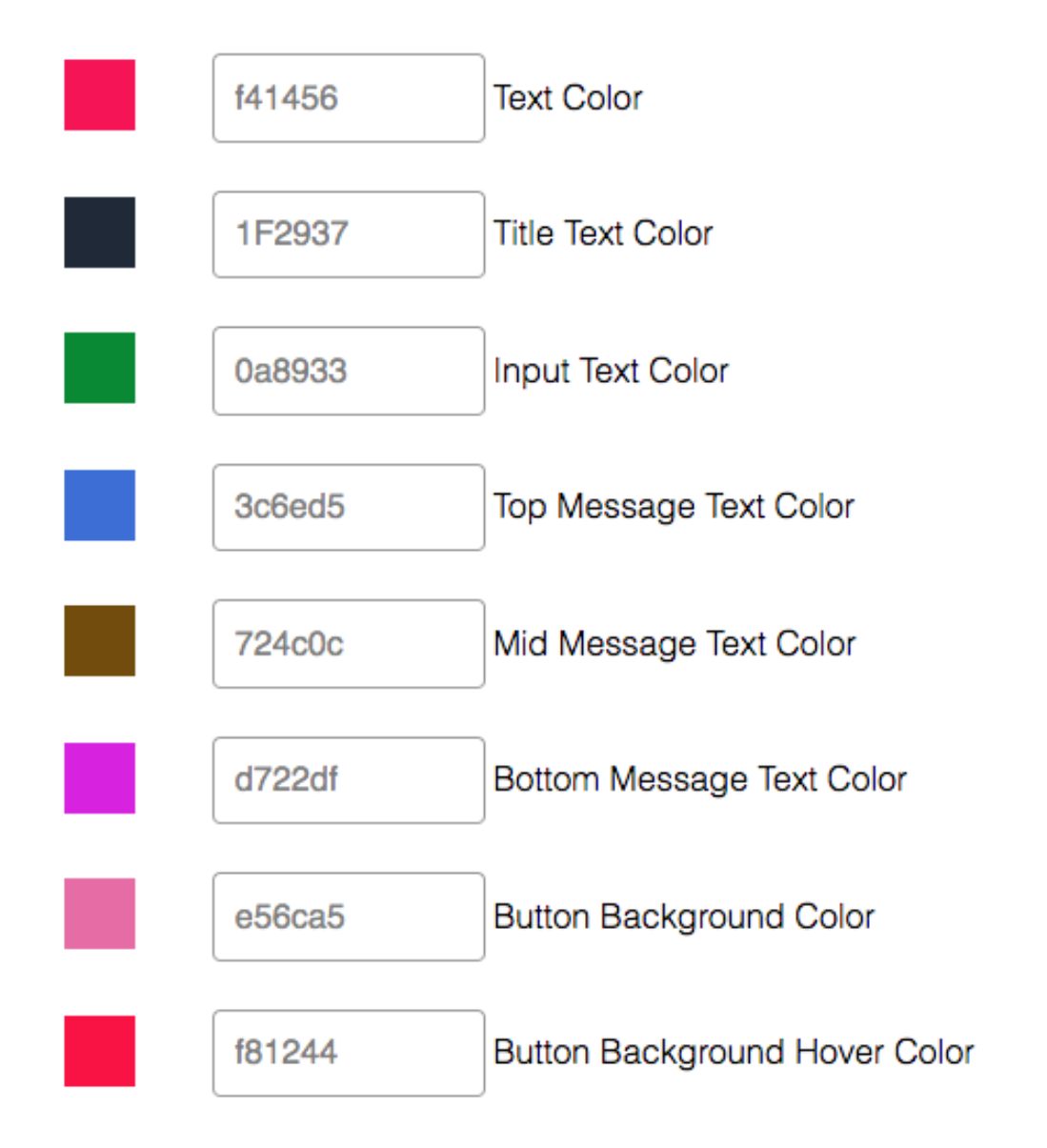
You can also control the colour for specific messages in your donation forms.
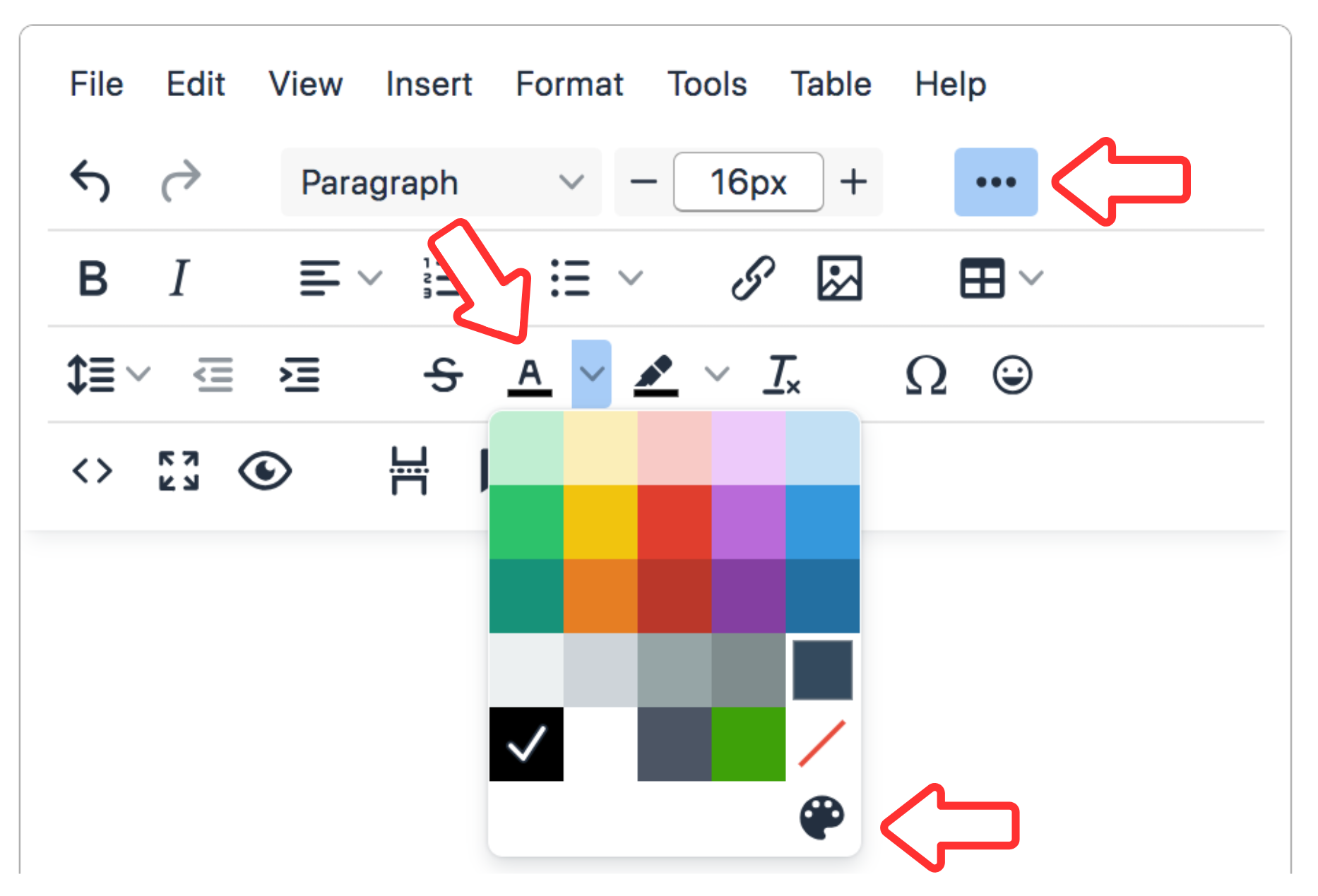
- Highlight the text and use the text colour icon to select your colour.
- Click the pallet icon to use RGB or HEX colour codes.
Note
When we create a template to match your website, there may be style rules pulled in from your site that are overriding your colour choices. Reach out if you need help, support@gifttool.com