
Coming Soon - How do I check in registrants with the new QR code in the confirmation email?
The upgrade to the Event Registrar service in 2026 includes a new QR code in the confirmation email. This a simple fulfillment process to check in registrants on the day of the event.
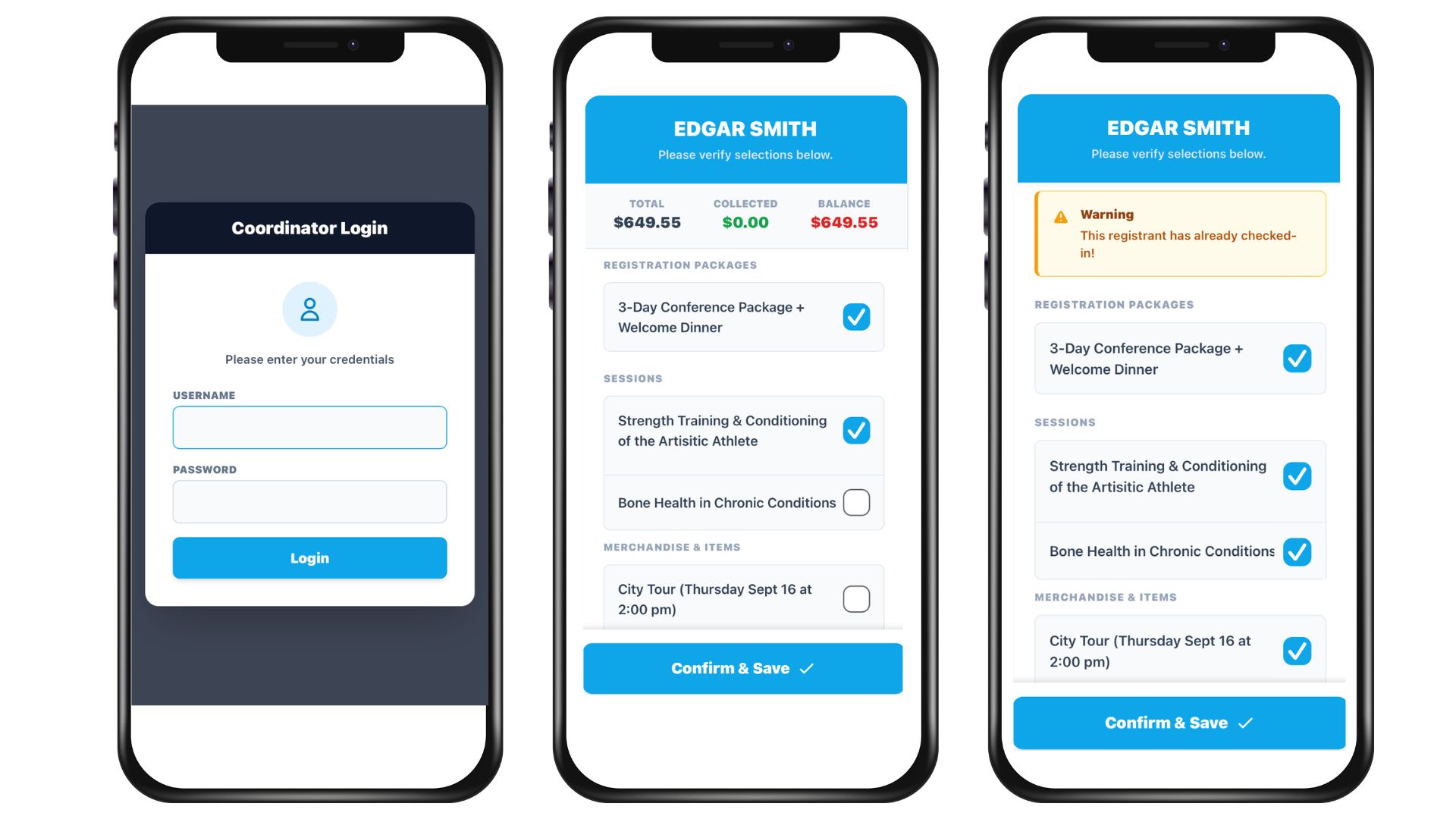
- Scan the QR code at the event
- Log in to the new fulfillment area using login credentials for the Key Contact or the Event Coordinator assigned to the event.
- You will see a list of options (Registration Options, Session Options, Lodging Options) and any Additional Items that the registrant is signed up for. Check off the relevant option(s) or item(s).
- Click Confirm & Save.
You can always scan the QR code again to check off remaining options/items.
A new Fulfillment column is included in the following reports, to indicate that an option/item has been checked off:
- Registration Options Details
- Session Options Details
- Additional Item Details
- Lodging Type Details
Note that the QR code will only appear in confirmation emails for people who register after the upgrade has been launched for your account.